On this page
Path of Exile 2’s “device removed” crashes and endless shader loading stutter finally have a real fix, and it took Grinding Gear Games sending Nvidia an entire PC to make it happen. Game director Jonathan Rogers confirmed the fix in a video, then celebrated by cracking open a bottle of champagne — a fair reaction after a saga that dragged on for a year and a half. This guide breaks down what the two issues actually were, what you need to install to get the fix, and what changes once you do.
TL;DR
- Two separate bugs are fixed: “device removed” driver crashes and slow shader compilation causing stutter and long freezes.
- Both stemmed from an Nvidia driver bug that started with driver version 566.36, released right before PoE2 launched.
- The fix ships as a combo: the new Nvidia Game Ready driver 610.88 plus the matching Path of Exile 2 client patch.
- Expect longer load times right after updating while your shader cache rebuilds — that’s normal, not a new bug.
- AMD users experiencing similar freezes are not covered by this specific fix, since it targets an Nvidia-only driver issue.
Divine Orbs
50 Divine Orbs in one in-game trade, Hardcore Challenge League
What Are the Device Removed and Shader Loading Issues in Path of Exile 2?
These are two separate but related technical problems that have followed Path of Exile 2 since its early access launch. Although Path of Exile 2 is in early access and many technical issues get fixed quickly, the crashes with a device removed error and severe stuttering during shader compilation remained unresolved for a long time. Players care because both issues hit hardest during endgame mapping, right when a build is finally clicking.
| Issue | What it actually does |
|---|---|
| Device Removed crash | Your graphics driver crashes mid-session — the game freezes, the screen goes black, and some players freeze for only a few seconds while others freeze much longer. |
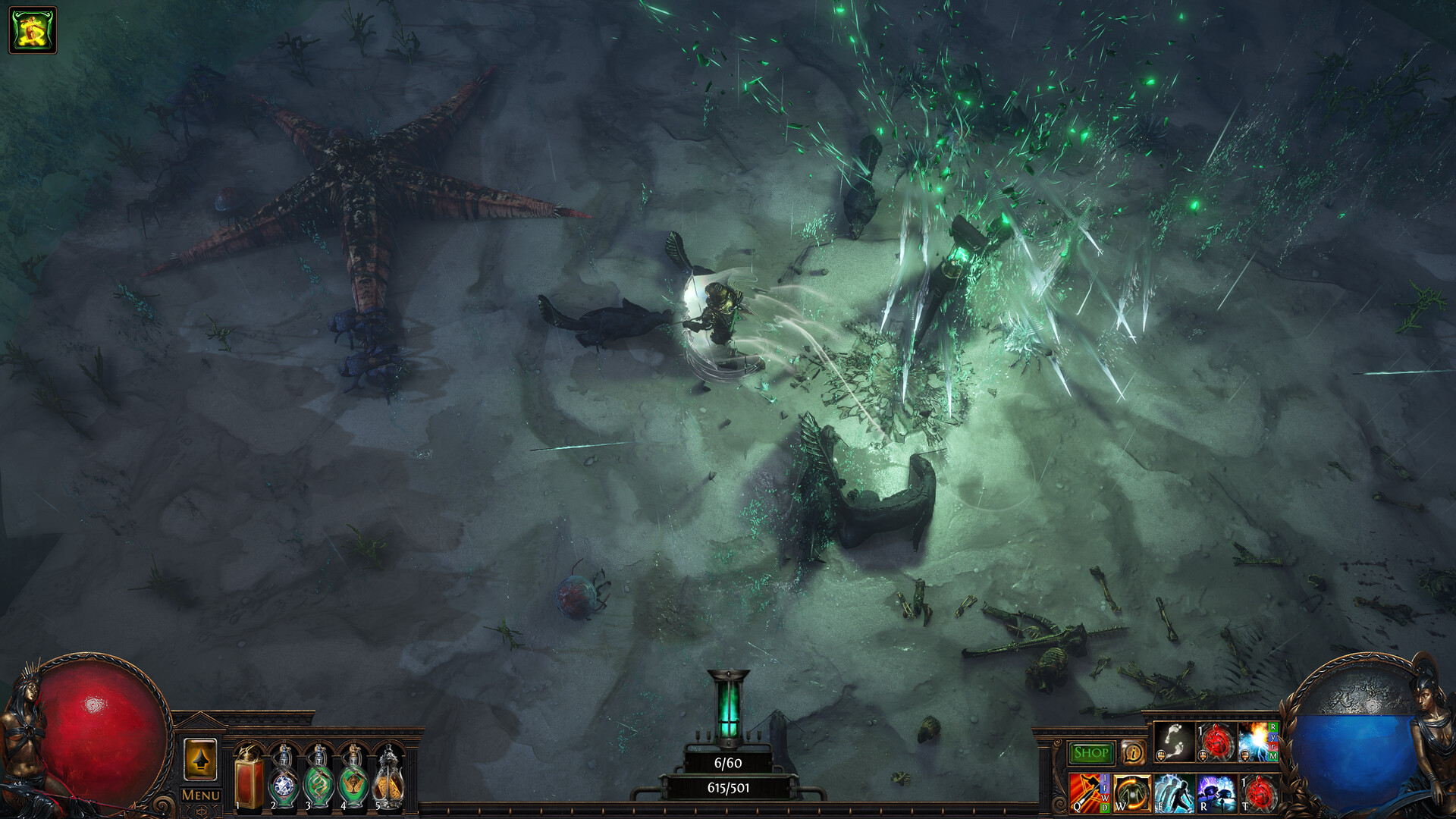
| Shader loading stutter | The game prioritizes loading shaders for what's visible in an area while monsters, bosses, and effects compile in the background, and when the shader cache fills up, new shaders can't save and the driver can't clean up old ones, causing constant stuttering. |
If the hours are the obstacle rather than the fight itself, Path of Exile boosting is run hands-on by a booster from your region.
Where to Get the Fix for These Issues
The fix isn’t a single download — it’s a pairing of two updates that both need to be installed together. On the Nvidia side, engineers found that increasing an internal shader heap size stopped the crashes, and Nvidia can apply this adjustment specifically to Path of Exile 2 through its driver profile, included with GeForce Game Ready Driver 610.88, released on July 28. On the game side, the accompanying Path of Exile 2 update also reduces shader sizes so the cache doesn’t fill up as fast. If you’re jumping back into the endgame after sorting your PoE2 currency farming routine, grabbing both pieces before your next mapping session is the whole fix.
Warning
This fix is Nvidia-specific. AMD players hitting similar freezes are not covered here, since the root cause is a bug tied to Nvidia driver versions from 566.36 onward.
| Source | What you get | Requirement | Who it suits |
|---|---|---|---|
| Nvidia Game Ready Driver 610.88 | Fixes the actual crash via an increased shader heap size | Nvidia GPU, driver update from Nvidia app or site | Everyone on Nvidia hardware |
| Latest PoE2 client patch | Smaller shader file sizes so the cache fills up slower | Automatic on next game launch | Everyone, regardless of GPU brand |
| Nvidia app shader cache check | Manual visibility into cache size if issues persist | Nvidia app installed | Players still seeing stutter post-update |
Best Ways to Apply the Fix
There’s no clever shortcut here — the difference between methods is mostly about how much patience you have for the shader rebuild afterward.
| Method | Speed | Effort | Best for |
|---|---|---|---|
| Update driver + patch, then play normally | Fast to apply, gradual payoff | Low | Most players |
| Update, then run a few zones deliberately | Slightly slower start | Medium | Players who want the cache rebuilt before a big map run |
| Update only the game, skip the driver | Partial fix at best | Low | Not recommended — misses the actual crash fix |
| Manually clear shader cache first | Slower initial loads | Medium | Players already seeing visual bugs or missing textures |
Step-by-Step: Applying the Device Removed and Shader Fix
Follow this sequence to get it done fast.
-
1
Update to Nvidia driver 610.88 or newer
grab it through the Nvidia app or Nvidia's driver download page, since this is the version carrying the shader heap size fix.
-
2
Restart your PC after installing
a fresh restart makes sure the new driver profile is actually loaded before you launch the game.
-
3
Launch Path of Exile 2 and let it update
the client patch that reduces shader file sizes installs alongside this, so don't skip it.
-
4
Play through a handful of different zones
the game needs time to rebuild its shader cache, so loading times will be longer than usual while it recompiles shaders for different areas, skills, and effects.
-
5
Judge performance after that initial session
GGG has described this as a one-time process, and once the cache is rebuilt through normal play, performance should stabilize at a noticeably better level than before.
What You Get After the Fix
Why the fix took so long to arrive
One engine programmer spent almost 18 months investigating the problem, and while the studio knew the issue only affected Nvidia hardware, Nvidia required repeatable instructions its engineers could follow. That reproduction gap is why this dragged on far longer than most patch-note fixes.
The PC-shipping story behind the fix
Grinding Gear Games eventually reduced the reproduction time from several hours to roughly five to seven minutes, then shipped Nvidia an entire affected PC, including its monitor, keyboard and mouse, so Nvidia’s engineers could reproduce and assign the problem to a driver engineer. That’s a genuinely unusual amount of effort for a driver bug report.
| Result | How you get it | Why it matters |
|---|---|---|
| Far fewer device removed crashes | Install driver 610.88 | No more mid-map freezes and black screens during juiced maps |
| Shorter shader stutter over time | Install the matching PoE2 patch | Smaller shader files mean the cache fills up slower |
| Slower loads right after updating | Automatic, one-time | Expected side effect, not a new problem |
Labyrinth
Your second set of ascendancy points, earned
Common Misconceptions About the PoE2 Device Removed Fix
Myth: it means your GPU is failing
The freeze looks like hardware failure, but it isn’t. The device removed error is a graphics driver crash rather than a game crash. Your card is fine — the driver briefly lost track of resources and had to reload them.
Myth: crashes are gone forever now
The fix dramatically reduces the crash rate, it doesn’t promise zero. The update doesn’t eliminate every performance issue, but it should dramatically reduce crashes, shorten shader loading over time, and create a much smoother gameplay experience. Treat it as a major improvement, not a guarantee.
Myth: this fixes AMD stutter too
This was always an Nvidia driver bug, not a Path of Exile 2 engine-wide issue. This does mean that AMD players who may be experiencing similar problems are still left twisting in the wind. If you’re on AMD and still getting freezes, this specific patch isn’t the answer.
Our Take: Is the Fix Worth Updating For?
Our Take
Update immediately if you’re on Nvidia — this is one of the more legitimate “day one” driver updates you’ll see for this game.
The gap between how minor this sounds in a patch note and how disruptive it actually was during endgame mapping is wide. A random freeze mid-map that costs you a rare drop or a boss attempt isn’t a rounding-error bug, it’s the kind of thing that pushes people off a build entirely. The fact that it took 18 months and a shipped PC to get Nvidia to act says more about how driver-level bugs get triaged than it does about Grinding Gear Games’ diagnostic work, which was genuinely thorough here. The honest catch is the AMD gap — if that’s your setup, don’t expect this specific patch to help, and keep an eye on future patch notes.
Was this guide useful?
Path of Exile services
Challenge League · Leveling
Powerleveling — Custom Range (1-100)
Pick your start and target level, 1 to 100 · Full act completion and three Labyrinths
Standard · Atlas & Bosses
Full Atlas Completion — All 118 Maps
All 118 Atlas maps completed · Unlocks the full Atlas passive tree and bonuses

Challenge League · Leveling
1-70 Leveling + All 10 Acts + 3 Labs + 24/24 Skill Points
Levels 1 to 70 with all ten acts cleared · Three Labyrinth runs completed