On this page
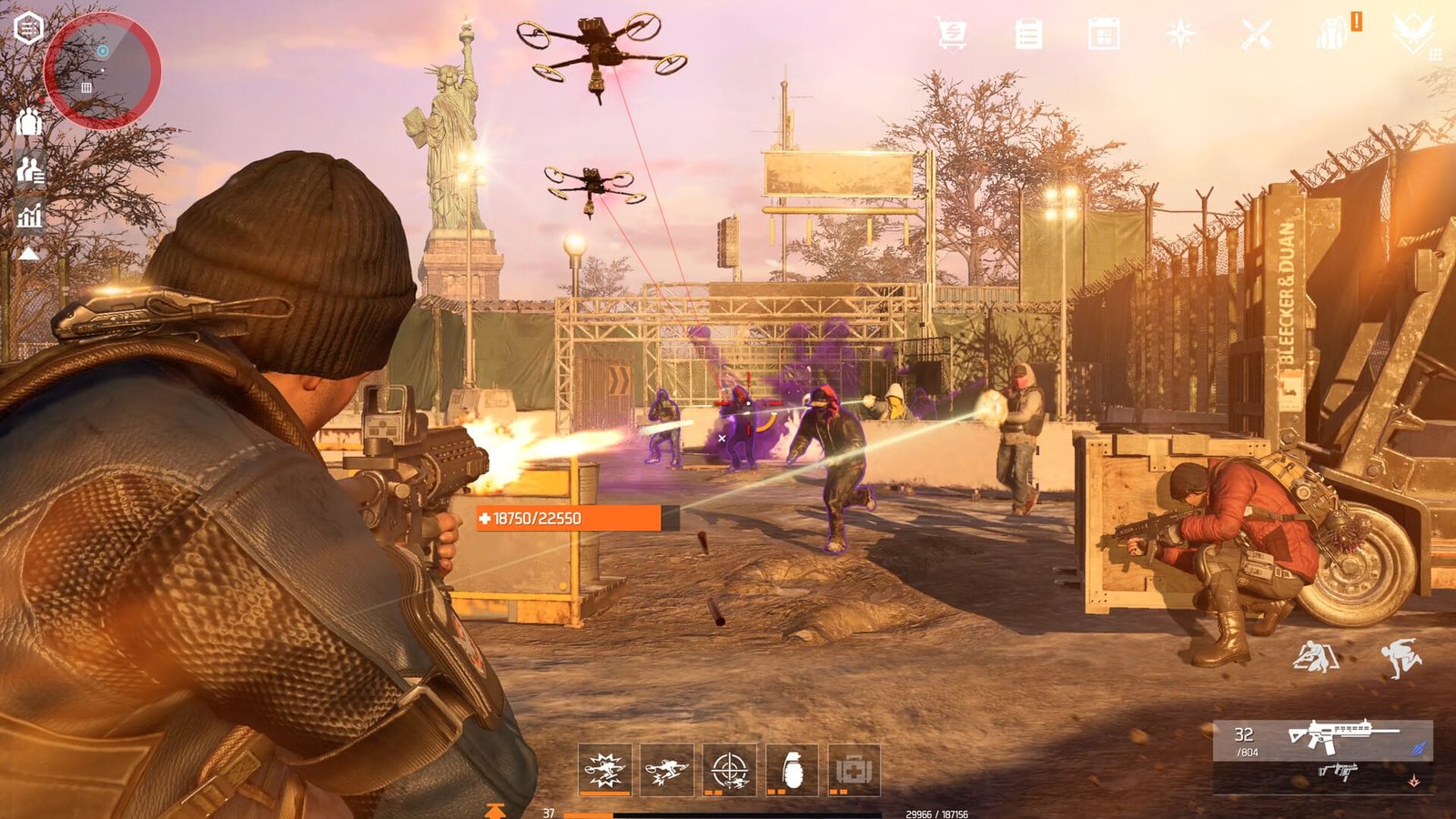
The first thing to do after installing The Division Resurgence is link your account, fix your controls, and pick a starter specialization before you touch anything else — everything past that first half hour is about picking the right handful of activities out of the game’s 100-plus and ignoring the rest. Ubisoft’s free-to-play spin-off lands on Steam and Ubisoft Connect on August 5, and because it’s free with full cross-progression from the existing mobile version, a huge share of day-one players will be opening it with zero context. This guide is the order of operations for that first session: what to do in the first 30 minutes, what to run through in your first evening, and what to leave alone until you actually know what you’re doing.
TL;DR
- Link your Ubisoft Connect account first if you already played on mobile, so gear and level carry over
- Rebind keys and turn off aim assist before your first firefight — the default mapping is built for touch controls
- Pick any starter specialization; it isn’t permanent and can be swapped later at no cost
- Clear main story missions and easy side content first, skip the Dark Zone and PvP for now
- Expect a few day-one Steam rough edges since PC just inherited a mobile-first game
Character Leveling 1-40
Your agent taken from 1 to 40
The First 30 Minutes: Account, Controls, and Your Starter Specialization
Before you load into New York, spend five minutes on account setup. If you already have an agent on iOS or Android, log in with the same Ubisoft Connect ID rather than starting fresh — the game supports full cross-play and cross-progression, allowing players to seamlessly continue their progress across mobile and PC platforms. Skip this step and you’ll end up leveling a second, redundant character by accident.
Next, open the settings menu and rebind everything before your first mission. Resurgence started life as a touch-screen game, so default keyboard and mouse bindings, camera sensitivity, and aim assist settings are frequently tuned for mobile conventions rather than a mouse. Turn off any aim-assist toggle carried over from the mobile build, adjust sensitivity to something closer to a normal third-person shooter, and check that your HUD scale isn’t still sized for a phone screen.
Once you’re through the opening tutorial, you’ll be prompted to choose a specialization — they unlock at the end of the tutorial and define your signature ability, active skills, and passive talent tree. Don’t overthink this pick. Your first pick is not permanent — you can swap specializations freely at the coordinator in the Base of Operations, and your progress on each class is saved independently. Some early build guides also note that the full roster of five isn’t available from the very first minute, with one specialization unlocking a bit later as you push through the campaign — worth confirming in-game rather than assuming. For a full breakdown of which one to run first on PC, our specializations guide covers each kit in more depth than you need on day one.
| Specialization | What's confirmed | First-pick verdict |
|---|---|---|
| Demolitionist | Explosive entry and area denial, using an Artillery Turret to rain shells on entrenched enemies and a Seeker Mine that hunts targets behind cover | Commonly recommended for new players because it effectively manages aggro, keeping enemies distracted |
| Bulwark | Frontline, defense-leaning kit; full kit breakdown in our specializations guide | Solid if you'd rather tank hits than kite |
| Field Medic | Support-oriented specialization built around sustain | Good pick if you're playing mostly co-op |
| Tech Operator | Reportedly unlocks a bit later via campaign progress in some early builds | Don't plan around it as your day-one pick |
| Vanguard | Frontline combat-focused kit | Fine generalist pick if Demolitionist doesn't click |
If the hours are the obstacle rather than the fight itself, The Division Resurgence boosting is run hands-on by a booster from your region.
What to Touch First in Resurgence's 100-Plus Activities
Ubisoft is pitching Resurgence as an open world with well over a hundred discrete activities, and trying to sample all of them on night one is the fastest way to waste your evening. The main story missions are the backbone — they gate your specialization objectives, teach core mechanics, and open up new zones and vendors as you go. Easy side missions near your spawn point are worth doing alongside the campaign because they’re efficient XP, but leave anything flagged as high-difficulty, Heroic, or PvP-adjacent until you actually have gear and a specialization tree to back it up. Weapon damage types are a system that starts feeling optional in the early game and becomes mandatory by the time you’re hitting level 20 content, so don’t sell off spare weapons with damage types you don’t already carry.
| Activity | Do now / delay / skip | Why |
|---|---|---|
| Main campaign missions | Do now | Gates story, specialization unlocks, and new zones |
| Easy side missions near spawn | Do now | Efficient early XP without gear risk |
| In-game Specialization Guide objectives | Do now | Each specialization has an in-game guide with objectives that teach how abilities interact in real combat and reward you for completing them |
| Heroic-difficulty missions | Delay | Requires a Power Score you won't have in hour one |
| Dark Zone extraction runs | Delay | Loot is contested and lost on death; better once leveled |
| PvP Conflict mode | Delay | Needs a build first, not just a character level |
| Breaking down Dark Zone vendor chips for currency | Skip | The return rate on breaking down purchased chips is poor |

When Does the Dark Zone Open and Why It's Too Early Right Now
The Dark Zone isn’t locked behind a hard level gate — you can enter the Dark Zone very early in your career, though the experience is significantly more rewarding once you reach level 20. The reason to wait isn’t difficulty scaling in the usual sense: attributes are normalized in the Dark Zone, which ensures that build synergy matters while lower-level players aren’t immediately obliterated by veterans. The real cost of going in too early is that you don’t yet have the mods, talents, or a full specialization tree to make normalized attributes count for anything, and you’re risking loot you can’t afford to lose. Community-sourced early guides also point to a Targeted Loot feature unlocking around level 20 for focusing specific gear sets, session timers capping extractions, and matchmaking pools of up to 20 players per instance — treat those specifics as subject to change once the mode is live on Steam. For the full mechanics rundown, see our dedicated Dark Zone guide.
Warning
Everything you pick up in the Dark Zone is contaminated loot, and if you die before extracting, you drop most of it for other players to take. Don’t bring anything you’re not willing to lose on your first runs.
Step-by-Step: Your First Evening Walkthrough
Follow this sequence to get it done fast.
-
1
Link or confirm your account
sign in with the same Ubisoft Connect ID you used on mobile so gear and level progress carries straight across.
-
2
Rebind controls before your first fight
remap keys, disable leftover touch-based aim assist, and set sensitivity to a normal third-person baseline.
-
3
Finish the tutorial and pick a specialization
don't agonize over it; it swaps later at the Base of Operations with no penalty.
-
4
Run two or three main missions back to back
this is where the campaign teaches cover mechanics, skills, and gadgets you'll rely on everywhere else.
-
5
Mix in a couple of easy side missions
cheap XP and gear without the risk of Dark Zone or Heroic content.
-
6
Close the session at the Base of Operations
check crafting and upgrade options, and note what daily objectives reset for tomorrow.
Playing on Steam Day One: What Might Not Work Yet
Resurgence is launching on Steam the same day it’s fully leaving early access on Ubisoft Connect, and it’s still fundamentally a mobile-first game getting a new front door. Expect some friction: menu layouts and prompts built for touchscreens don’t always translate cleanly to mouse and keyboard, matchmaking pools for Dark Zone and Conflict may behave differently while the PC playerbase ramps up, and store or currency screens can occasionally show mobile-only wording. None of this is unusual for a day-one PC port of a live-service mobile title, and Ubisoft has said Year 1 content updates will arrive every six weeks, which is also when smaller day-one fixes tend to land. If something looks broken rather than just unfamiliar, it’s worth checking patch notes before assuming it’s permanent. Our Steam release breakdown covers exactly what does and doesn’t carry over from mobile.
Tip
Switch your active specialization before claiming daily quest rewards if your main one is already at its level cap, so the Specialization XP doesn’t go to waste on a tree that’s already maxed.
| System | Mobile behavior | What to expect day one on PC |
|---|---|---|
| Cross-progression | Full cross-progression via Ubisoft Connect, start a mission on phone and finish on PC | Should work at launch; verify your Connect login first |
| Controls | Touch-first UI and prompts | Rebind everything manually, don't trust the defaults |
| Dark Zone matchmaking | Established mobile population | May be thinner on PC in the first days |
| Patch cadence | Regular content updates every six weeks | Smaller day-one bug fixes likely follow soon after |
Build Setup
A working build assembled for the specialization you play
Common First-Hour Mistakes New Agents Make
Myth: The Dark Zone Is Only for High-Level Players
Not true in the strict sense — you can walk in almost immediately. The actual reason to hold off is that attribute normalization means build synergy matters more than raw gear score, and you simply don’t have a build yet in your first hour.
Myth: Character Level Is What Gears You Up
Level and readiness are two different tracks here. Your readiness for high-level content is measured by Power Score, which aggregates gear stats, weapon levels, mod quality, and even account-wide achievements — walking into a Power Score 12,000 mission at 10,000 will show in every firefight. Our Power Score vs Gear Level breakdown untangles this in more detail.
Myth: Your First Specialization Choice Locks You In
It doesn’t. Your first pick is not permanent — you can swap specializations freely at the coordinator in the Base of Operations, with progress on each class saved independently, so there’s no wrong first choice to stress over.
Our Take: Is Jumping In on Day One Worth It
Our Take
Yes, but treat the first evening as setup, not a race to the Dark Zone.
A free-to-play launch with cross-progression from an existing mobile playerbase means the servers, matchmaking, and economy are already somewhat established rather than starting from zero — that’s a genuine advantage over a cold launch. The tradeoff is that PC is inheriting systems designed around a phone, and the honest expectation should be a few rough edges around controls and UI that get smoothed out in the weeks after launch rather than fixed on day one.
The activities that matter in hour one are the ones that build your foundation: story missions, your first specialization, and enough side content to understand Power Score before you go anywhere near contested loot. Everything with a PvP or PvPvE label can wait — it isn’t going anywhere, and you’ll get far more out of it once you’re not walking in with a starter build.
Was this guide useful?
The Division Resurgence services
Leveling
Weapon Leveling — Up to 10 Levels
Ten weapon levels on the gun you choose · The mods sitting behind mastery stop being locked

Farming & Currency
Dark Zone Currency — 10,000
Ten thousand Dark Zone currency on your account · Farmed inside the zone
Farming & Currency
Module Farming — 30 Missions
Thirty missions run for module drops · The fastest honest route to a full set of upgrades