On this page
The Dark Zone in The Division Resurgence is a dedicated PvPvE extraction mode where you loot high-end gear off AI enemies and other players, then have to physically get it out before you can use it. It returns with its signature PvPvE extraction mode, which players can enter alone or with a team as they seek to loot and extract high-end gear while braving the dangers of NPC factions and other players. It sits apart from the story campaign and from the structured PvP you find in Conflict — the Dark Zone is separate from the campaign and Conflict PVP mode, with its own beast and its own reward economy. If you’ve read our Steam release breakdown, this is the mode that carried over from the mobile version rather than being built new for PC.
TL;DR
- The Dark Zone is PvPvE: NPC factions plus other live players, separate from Conflict’s structured PvP
- Loot you pick up is “contaminated” and useless until you physically extract it via helicopter
- Dying drops your unextracted bag; gear you already banked or are wearing stays safe
- Going in around level 20 unlocks Targeted Loot and makes runs meaningfully more rewarding
- Solo queue exists, but a full squad gives far more security during extraction
Dark Zone Currency
Ten thousand Dark Zone currency on your account
What Is the Dark Zone in The Division Resurgence?
| Confirmed Parameter | What's Known |
|---|---|
| Session timer | The area is time-limited for up to 20 minutes due to contamination. |
| Player density | The zone supports matchmaking for up to 20 players. |
| Squad size | You can enter solo or in a group of up to four. |
| Loot bag cap | Contaminated loot goes into a separate inventory bag with a cap of 9 items. |
| PvP stat normalization | Normalization means your base stats are adjusted to level the playing field, though gear talents and skill choices remain vital. |
If the grind is the only part worth skipping, The Division Resurgence boosting runs the same route on your own account.
How Extraction Actually Works: Loot, Ropes and the 20-Minute Clock
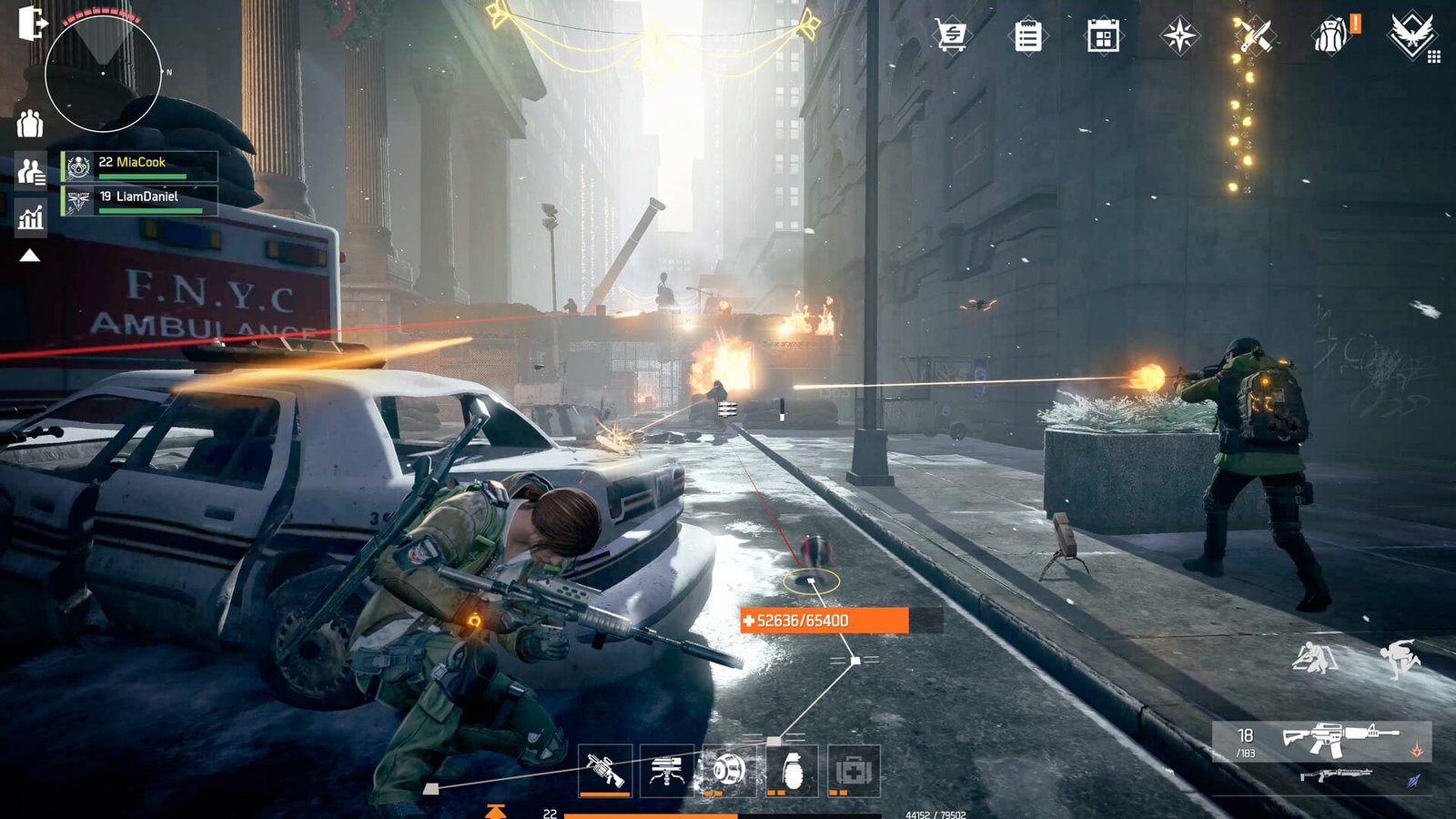
Getting loot out is the entire point of going in — killing things is just the setup. Anything you pick up inside the zone lands in a separate contaminated bag rather than your normal inventory, and it stays unusable until it’s been through extraction. You cannot use contaminated items until they’ve been extracted and decontaminated. To start the process you find an extraction zone and call it in, and that call is loud on purpose: once the flare is fired, every player in the zone is alerted to your location. A helicopter arrives and drops a rope for your loot, plus, per player-reported guides, a second line that lets you leave the zone directly rather than walking back to a checkpoint. Once the helicopter actually leaves, your gear doesn’t appear in your inventory instantly — you generally need to head back to your base to claim it from storage before it’s usable.
Dying is where new players get burned. Other players can attack and steal dropped loot, and rogue behavior is part of the mode’s risk-reward design. Player reports and community wikis consistently describe the same rule: only what’s currently sitting in your unextracted contaminated bag is at risk. Gear you’ve already banked from a previous extraction, or anything you’re wearing, is not on the table. That distinction matters enough that it’s worth treating as the single most important thing to understand before your first run.
Warning
Dying resets your progress on the current bag, not your whole stash. But if you’re carrying a near-full 9-slot bag and get caught in the open by a rogue squad or a hard target, that entire run’s loot is gone in one death. Extract in smaller windows instead of gambling on one full bag.
| Extraction Step | What Happens | Risk Level |
|---|---|---|
| Filling the bag | Loot from crates and enemies fills your 9-slot contaminated bag | Low, until the bag is heavy enough to matter |
| Firing the flare | Every player in the zone is alerted to your location once the flare is fired. | High — this is the moment ambushes happen |
| Hooking the rope | Attaching your bag starts a short window where the line can be cut and the loot stolen | High |
| Helicopter departs | Loot is routed to your base storage; you still need to travel there to claim it | Low |
Dark Zone vs Conflict: PvPvE Chaos vs Structured PvP
These two modes get lumped together because they’re both “PvP,” but they work nothing alike. Conflict is the structured, no-loot-risk competitive side of the game. Beyond the Dark Zone, the game offers Conflict Mode as standard team deathmatch on smaller, focused maps, Skirmish as tactical 4v4 combat where positioning is everything, and Domination as objective-based gameplay requiring teams to hold specific points. Domination specifically runs as two teams of four capturing and holding objectives, each held objective scoring one point per second, with the first team to 100 winning. Player power gets normalized there too, but weapon talent bonuses are preserved — so gear still matters, just less than raw aim.
The Dark Zone has none of that structure. There’s no scoreboard, no round timer resetting the map, and no guaranteed fair fight — just NPC factions, other agents who may or may not be friendly, and a clock counting down on how long your loot stays safe. Swapping between the two also means swapping your build: it’s worth changing loadouts between them rather than running whatever worked in the campaign, and our specializations guide covers which of the five kits (Demolitionist, Bulwark, Field Medic, Tech Operator, Vanguard) actually hold up under Dark Zone pressure versus Conflict’s tighter maps.
| Aspect | Dark Zone | Conflict |
|---|---|---|
| Enemy type | NPC factions plus other live players | Players only, no AI |
| Loot at stake | Yes, extraction can be stolen | No loot risk, cosmetic/rank rewards |
| Structure | Open, timed session, no set win condition | Structured rounds, objectives or score target |
| Player power | Normalized, talents/skills still matter | Normalized, weapon talents preserved |

When to Go Into the Dark Zone: Gear Level, Solo or Group
You technically can walk into the Dark Zone very early, but the mode isn’t tuned to reward that. While you can enter the Dark Zone very early in your career, the experience is significantly more rewarding once you reach Level 20, at which point the game unlocks Targeted Loot, letting you influence which types of gear have a higher drop rate during your session. Before that threshold you’re mostly there to learn the map and the extraction rhythm, not to gear up seriously. If you haven’t hit that point yet, our leveling guide covers the fastest route through the early campaign to get there.
Group size is the other half of the decision. A team gives stronger extraction security, better coverage, and safer loot runs. Solo play is supported directly through matchmaking — Solo Queue Dark Zone is available for solo play — but it puts the entire extraction defense on you alone, which is a very different risk profile than a coordinated four-person squad splitting lookout and rope-defense duties.
| Approach | Risk | Reward Potential | Who It Suits |
|---|---|---|---|
| Under level 20, solo | Low reward for the risk taken | Low — no Targeted Loot yet | Players scouting the map for the first time |
| Level 20+, solo queue | High during extraction, no backup | Solid, but you'll bail on fights often | Confident, patient solo players |
| Level 20+, full squad | Manageable — roles split across the group | Highest — safer full extractions | Anyone who has three others to run with |
| Level 20+, chasing a hard target | Very high, especially at extraction | High if you extract cleanly | Geared players hunting specific drops |
Step-by-Step: Your First Dark Zone Run
Follow this sequence to get it done fast.
-
1
Check your level and loadout
aim to be at or close to level 20 so Targeted Loot is active, and swap into a Dark Zone-appropriate specialization rather than your campaign build.
-
2
Decide solo or squad before queuing
solo queue works, but know you're accepting the full risk of defending your own extraction alone.
-
3
Set a small goal, not a wishlist
pick one landmark or one target to clear rather than trying to loot the entire map in one 20-minute window.
-
4
Watch your bag, not just the timer
extract in smaller batches instead of holding out for a full 9-slot bag every single run.
-
5
Scout the extraction zone before committing
if other agents are already camped there, you're walking into an ambush the moment you call the helicopter.
-
6
Defend the rope, then leave
stay on cover near the line until the helicopter departs, and don't linger afterward once your loot is secured.
The Most Expensive Dark Zone Mistakes New Players Make
Overstaying for “One More Slot”
The clock is the actual enemy here, not the other players. Don’t overstay — the 20-minute timer is unforgiving. Community strategy write-ups consistently point to greed — staying just a little longer to fill the last bag slot — as the single most common reason runs end in a wipe rather than a clean extraction.
Fighting for Kills Instead of Playing the Extraction
New players treat the Dark Zone like a deathmatch and forget it’s a loot-and-leave mode. Sticking to open ground, ignoring long sightlines, and chasing fights that don’t lead toward an extraction zone are the fastest way to lose a bag you spent fifteen minutes filling.
Assuming Division 2’s Dark Zone Rules Apply Here
This is the mistake that costs veterans the most, specifically because they think they already know the mode. Resurgence‘s Dark Zone runs its own session structure — a fixed 20-minute contamination clock, a hard 9-item bag, flare-and-rope extraction — and none of that should be assumed to match how Dark Zones worked in The Division 2. If a rule isn’t confirmed for Resurgence specifically, treat it as unknown rather than importing it from a different game.
Tip
If one squad member goes Rogue, community guides note the whole team gets flagged as a target, not just the player who pulled the trigger. Agree on Rogue calls with your group before you’re in a firefight, not during one.
Clan Nest
Ten clan nest missions cleared
Dark Zone Rewards: What You're Actually Fighting For
The pull of the Dark Zone is straightforward: it’s positioned as the endgame gear source alongside Conflict, and season content keeps adding to that pool. Rank progress and successful extractions feed a wider PvP progression track — the game offers a dedicated progression track for competitive players, and by ranking up in Conflict or successfully extracting gear from the Dark Zone you earn exclusive caches containing high-end weaponry and cosmetic items.
Targeted Loot Changes What Actually Drops
Reaching level 20 unlocks Targeted Loot, allowing you to influence which types of gear have a higher drop rate during your session. This is the biggest reason to hold off farming seriously until you hit that level — before it, drops are effectively random noise.
Legendary Gear Is a PvP-Specific Tier
The Legendary tier isn’t just a stronger version of existing loot — its talents are built specifically around fighting other players, which is worth knowing before you assume it will boost your PvE campaign runs the same way. If you’re weighing how much of this progression is locked behind spending versus play, our piece on whether Resurgence is pay-to-win covers what the store actually sells.
| Reward | How You Get It | Why It Matters |
|---|---|---|
| High-end contaminated gear | Loot enemies/crates in the zone, then extract successfully | Main source of top-tier equipment |
| Dark Zone Credits & Intel | Earned from kills, objectives and extractions inside the DZ | Spent at Dark Zone vendors for targeted upgrades |
| Legendary gear tier | Ranking up through Dark Zone or Conflict participation | Legendary items feature unique talents that only activate when fighting other players, deepening build variety. |
| Seasonal exotics | Classified Ops season pass tracks tied to Dark Zone activity | Adds new weapon types to chase each season |
Our Take: Is the Dark Zone Worth It This Early on Steam
Our Take
Go in once you’ve hit the level-20 gate, not before — the mode simply isn’t tuned to reward earlier visits.
The Dark Zone’s core loop — loot, run, extract or lose it — is a genuinely tense design, and it’s been proven out already on mobile before this Steam release, so the fundamentals aren’t in question. What’s still genuinely unclear this early into the PC launch is how the day-one population, mouse-and-keyboard aim advantages, and matchmaking pool actually feel in practice compared to the mobile version the mode was built around. That’s not a knock on the mode, just an honest gap: a mechanic can be fully confirmed on paper while the lived experience on a brand-new platform is still settling.
The practical read is simple: the risk table above isn’t decoration. Going in under-leveled or solo against a coordinated squad is a bad trade almost every time, while a geared level-20-plus group with a plan can make the same zone genuinely profitable. If you’re brand new to the game, spend your first few hours getting a feel for the campaign and Conflict before treating the Dark Zone as anything other than a scouting trip.
Was this guide useful?
The Division Resurgence services
Leveling
Character Leveling 1-40
Your agent taken from 1 to 40 · Full campaign progress on the way up
Builds & Support
Build Setup — Your Specialization
A working build assembled for the specialization you play · The reasoning written out, not just the item list
Leveling
Weapon Leveling — Up to 10 Levels
Ten weapon levels on the gun you choose · The mods sitting behind mastery stop being locked