On this page
In the 405 notable-player profiles on Liquipedia updated since 1 January 2025, the most common Rocket League camera settings are FOV 110, Distance 270, Height 100 or 90, an Angle between -3.0 and -5.0, Stiffness 0.35, Camera Shake off and Ball Camera on Toggle. In those profiles, Swivel Speed and Transition Speed have no majority value, so tune those two yourself. Below you get the full value table with each share, what each slider does in Epic’s own words, our reading of why pros land where they do, and a Free Play routine for testing a change before you queue ranked.
TL;DR
- Most common values in 405 pro profiles on Liquipedia updated since 1 January 2025 (read 26 September 2026), not a survey of every pro: FOV 110, Distance 270, Height 100/90, Angle -3.0, Stiffness 0.35, Shake off, Ball Camera Toggle.
- Per Liquipedia’s community data, Swivel Speed (4.00 – 10.00) and Transition Speed (about 1.40 – 1.60) have no majority value; treat them as personal.
- Epic explains what each option does but does not publish recommended values.
- Season 24 (live since 23 September 2026, v2.76) added a Free Look Camera for keyboard and mouse. The patch notes do not mention any change to the Camera tab sliders.
- Change one value at a time and try it in Free Play first. No source links any camera value to rank gains.
Rank Boost
Bronze through Supersonic Legend, any start to any target
Best Rocket League Camera Settings: The Pro Values
These numbers come from Liquipedia’s list of player camera settings. It’s a community-maintained page that gathers the settings posted on individual player pages. For this list, a notable player is anyone with more than $2,000 in career earnings. The list has 1,397 notable-player entries. The shares below cover only the 405 entries updated since 1 January 2025, counted on 26 September 2026. This is community data, not a survey of every pro. How we counted: each share is the number of profiles with that value divided by 405; all 405 profiles have all nine camera fields filled, so the denominator is the same for every setting. The list was read through Liquipedia’s API on 26 September 2026. Liquipedia also warns that camera settings go stale fast, so any one player’s row may be out of date.
| Setting | Most common value (share of 405 profiles) | Next most common | Consensus |
|---|---|---|---|
| Camera FOV | 110 (93%) | 109 (6%) | Near-universal |
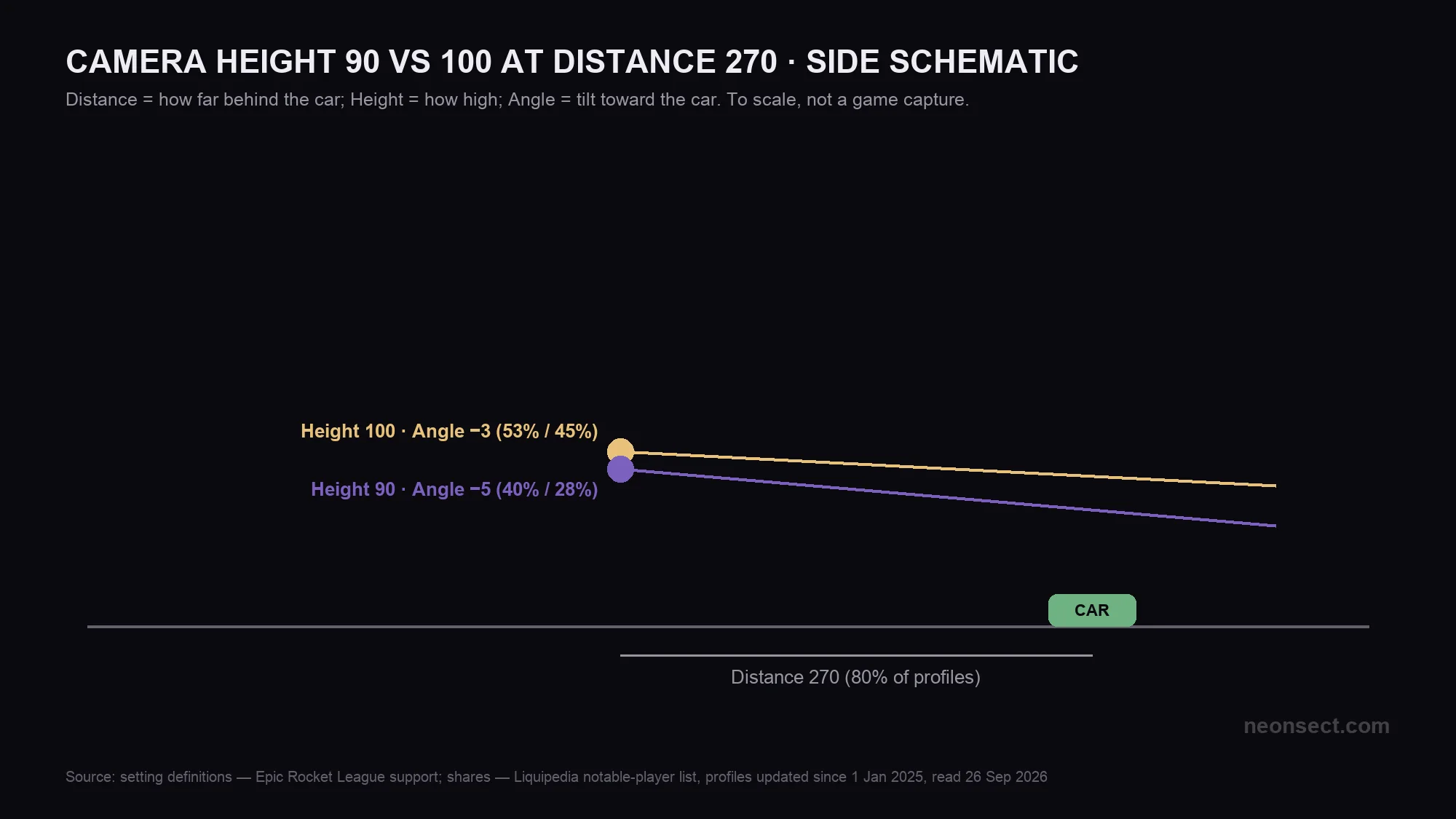
| Camera Distance | 270 (80%) | 260 (10%) | Strong majority |
| Camera Height | 100 (53%) | 90 (40%), 110 (5%) | Two-way split |
| Camera Angle | -3.0 (45%) | -5.0 (28%), -4.0 (20%) | Three-way split |
| Camera Stiffness | 0.35 (47%) | 0.40 (18%), 0.45 (16%) | Plurality, not majority |
| Camera Swivel Speed | 4.00 (13%) | 5.00 (12%), 10.00 (11%) | No majority, personal |
| Transition Speed | 1.50 (18%) | 1.40 (12%), 1.60 (11%) | No majority, personal |
| Camera Shake | Off (100%) | None | Unanimous |
| Ball Camera button (Toggle or Hold) | Toggle (100%) | None | Unanimous |
If the hours are the obstacle rather than the fight itself, Rocket League boosting is run hands-on by a booster from your region.
What Each Camera Setting Does, per Epic's Support Page
Psyonix builds Rocket League and Epic Games publishes it. Epic’s Rocket League support page on camera settings explains each option in the Camera Settings tab. It doesn’t say what value to pick.
Transition Speed is not on Epic’s current support page, but Psyonix defined it when the slider arrived in patch v1.37 (September 2017): a higher value makes the camera blend between Ball Cam and Player Cam more quickly. Two similar names are easy to mix up: the Ball Camera setting in the pro table is how the ball-cam button behaves (Toggle or Hold), while the Ball Cam Indicator below is only the on-screen icon. Season 24’s new Free Look Camera is a keyboard-and-mouse control (controller players can also turn it on) that lets you point the camera where you want. It is not one of the camera sliders above, which is why it’s missing from the table. See the official Season 24 announcement for details.
| Setting | What it does | Wording from |
|---|---|---|
| Camera FOV | How much of the field you see. | Epic support |
| Camera Height | Controls how high the camera sits. | Epic support |
| Camera Angle | The angle at which the camera faces the car. | Epic support |
| Camera Distance | How far behind the car the camera sits. | Epic support |
| Camera Stiffness | Epic only calls it "the camera stiffness". Liquipedia describes it as how much the camera zooms out at speed, with lower values zooming out more. | Epic support plus Liquipedia glossary |
| Camera Swivel Speed | How fast the camera turns along with your car. | Epic support |
| Transition Speed | How quickly the camera blends between Ball Cam and Player Cam; a higher value is faster. | Psyonix patch notes v1.37 (2017); not on Epic’s current page |
| Camera Shake | Makes the camera shake to mimic high speed and crashes. | Epic support |
| Ball Cam Indicator | Shows an icon in the bottom-left corner while ball cam is on; you can turn it off. Not the same as the Ball Camera Toggle/Hold setting. | Epic support |
Why Pros Agree on FOV and Shake but Not Swivel
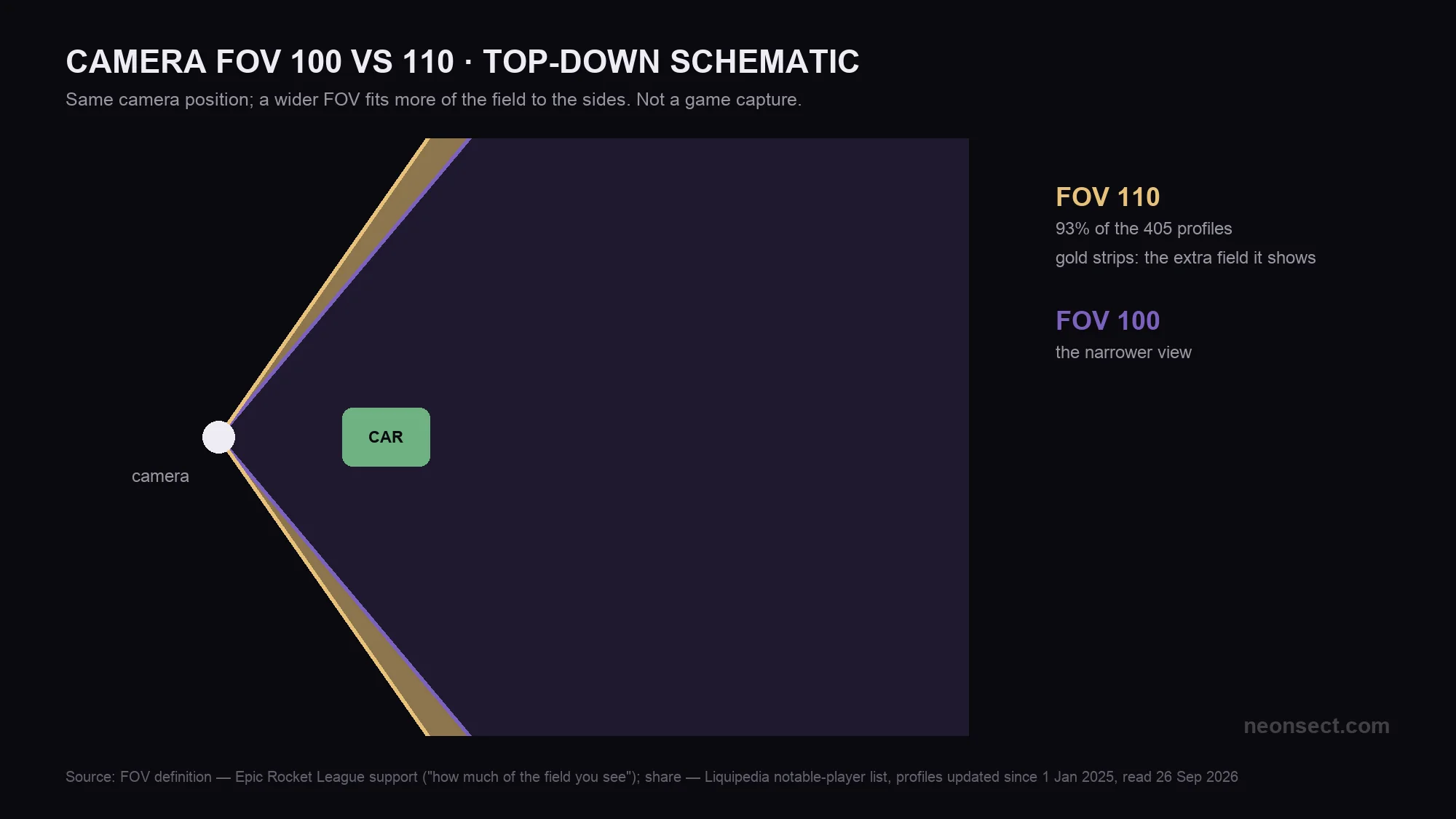
The data sorts into three groups. FOV 110 and Camera Shake off are close to universal. Height and Angle split between two or three values. Swivel and Transition are all over the place. What follows is our reading of why. None of it is stated by Psyonix or Liquipedia.
Near-universal: FOV 110 and Shake off
Our editorial view, not a tested result: for most players these two have little downside. A wider view shows more of the field, and shake adds motion with no information in it. Once a setting has no real downside, nearly everyone ends up on the same value.
Split: Height, Angle and Stiffness
Our reading: these change how big the car and ball look and how the pitch lines up on screen, so they depend on the player. Monitor size, how you read aerials, and even the car you drive all play a part. Your car’s hitbox type also shapes how close you want the camera. That explains a 53/40 split on Height rather than one right answer.
Personal: Swivel and Transition Speed
Our reading: these two are about feel, like how fast the camera follows your inputs or switches between car and ball view. No top value in either reaches 20%. You’re better off tuning these until they feel right to you than copying a number.
Step-by-Step: Change and Test Camera Settings in Free Play
Epic’s support page calls it the Camera Settings tab. Third-party guides for the current menus give the path as Settings > Camera. We haven’t checked that path ourselves since Season 24.
Here’s what that costs in time. The sliders where pros disagree (Height, Angle, Stiffness, Swivel, Transition) come to five settings, and at one change per session that’s five test sessions before your whole camera has been checked. That count is our arithmetic from the one-at-a-time method, not a measured figure. The same routine works before a Rocket League tournament run: don’t bring a camera you haven’t tested.
Tip
Change one camera value at a time. If you change three at once and play worse, you won’t know which one caused it.
Note
If you copy one named pro, check the date on their Liquipedia row first. Liquipedia says camera settings go stale fast.
Follow this sequence to get it done fast.
-
1
Note your current values
write down every slider in the Camera tab before you change anything, so you can go back.
-
2
Set the near-universal values
FOV 110, Distance 270, Camera Shake off, since those are the values the Liquipedia count is most agreed on.
-
3
Change one split setting
adjust only Height, Angle or Stiffness in a given session, picking from the values pros use in the table above.
-
4
Test it in Free Play
hit the ball along the ground, go up for a few aerials and a wall read, and see whether the ball and your car are easier to judge.
-
5
Play casual before ranked
play a casual match or two with the change, and switch back to your written values if it feels worse.
Coaching
An hour through your own replays with a top-ranked coach
Our Take
Our Take
Take the settings pros agree on, test the ones they split on, and choose Swivel and Transition by feel.
Setting FOV 110, Distance 270 and Shake off takes seconds, and pros barely disagree on them. Everything else is a personal choice, and the spread in the data says so. A camera that suits you helps you read the game. It doesn’t win matches on its own, and no source ties any value to rank gains. Climbing is still about the matches you play, as covered in our guide to Rocket League ranks and MMR.
Sources and Confidence
This table separates what the studio has confirmed, what is not confirmed yet and what is our own reading or calculation. Each claim below is tied to the post and the game version it describes.
| Claim | Where it comes from | Status |
|---|---|---|
| What FOV, Height, Angle, Distance, Stiffness, Swivel, Shake and Ball Cam Indicator do | Rocket League Support (Epic Games) | Official |
| Value shares in 405 notable-player profiles updated since 1 Jan 2025 (profiles with the value ÷ 405; snapshot read 26 Sep 2026): FOV 110 93%, Distance 270 80%, Camera Shake off 100% | Liquipedia Rocket League Wiki, List of player camera settings | Community-reported; primary source not verified |
| Notable player means more than $2,000 in career earnings | Liquipedia Rocket League Wiki, List of player camera settings | Community-reported; primary source not verified |
| Stiffness is how much the camera zooms out at speed, lower means more zoom | Liquipedia Rocket League Wiki, Camera settings glossary | Community-reported; primary source not verified |
| Season 24 (v2.76) added a Free Look Camera for keyboard and mouse, also available on controller; no camera slider changes | Psyonix, Patch Notes v2.76 (21 September 2026) | Official |
| Pros converge on FOV and Shake but split on Swivel and Transition | Our own analysis of Liquipedia’s data | Our reading |
| Transition Speed: a higher value blends between Ball Cam and Player Cam more quickly | Psyonix, Patch Notes v1.37 (28 September 2017) | Official |
Was this guide useful?
Rocket League services
Tournaments
Rocket Pass Leveling
70 Rocket Pass tiers plus the Pro tiers behind them · The playlists that pay the most tier XP per hour

Rank Boost
Rank Boost — Platinum 1 to Diamond 1
Your solo rank carried from Platinum 1 to Diamond 1 by an SSL player · Diamond is the first rank where rotation matters…
Tournaments
Tournament Win — Champion Tier
Tournaments are single-elimination, so one bad game ends the whole run · Which is why wins are worth buying rather than…